Types of Fuzzing Explained: Black-Box, Grey-Box, White-Box, and Coverage-Guided Fuzzing
Part 3 of the Complete Fuzzing Series
| Part | Title | Status |
|---|---|---|
| 1 | What Is Fuzzing and Why Does It Actually Work? |  Published Published |
| 2 | How a Fuzzer Works: Mutations, Seeds, and Corpus Explained | Published |
| 3 - You are here | Types of Fuzzing Explained | You are here |
| 4 | What Happens Inside a Program When It Crashes | Coming soon |
| 5 | Sanitizers: Detecting Bugs BEFORE They Crash | Coming soon |
← Previous: Blog 2: How a Fuzzer Works | Next → Blog 4: What Happens Inside a Program When It Crashes
Before We Start
If you skipped Blog 1 and Blog 2, go back. Seriously. This blog builds on the mental models we established there.
In Blog 1, we learned WHY fuzzing works - the fundamental insight that programs have hidden assumptions about their inputs, and fuzzers violate those assumptions systematically.
In Blog 2, we learned HOW a fuzzer works internally - mutations, seeds, corpus, the feedback loop.
Now we’re going to answer a different question: what KINDS of fuzzers exist, and when do you use each?
Because “fuzzing” is not one technique. It’s a family of techniques. And if you don’t understand the taxonomy, you’ll use the wrong tool for the job and waste weeks of time.
Let’s fix that.
The Thing Nobody Told Me About Fuzzing Types
When I first started learning fuzzing, I kept seeing these terms thrown around:
- Black-box fuzzing
- Grey-box fuzzing
- White-box fuzzing
- Coverage-guided fuzzing
- Mutation-based fuzzing
- Generation-based fuzzing
And I thought they were all describing DIFFERENT fuzzers. Like, “AFL++ is a grey-box fuzzer, so it can’t do white-box fuzzing.”
That’s not how it works.
Here’s what I wish someone had told me on day one:
These terms are NOT mutually exclusive categories. They’re dimensions.
Think of it like describing a car:
- “Sedan” vs “SUV” - body type
- “Manual” vs “Automatic” - transmission type
- “Gas” vs “Electric” - fuel type
A car can be a “manual electric sedan.” The categories describe different aspects of the same thing.
Same with fuzzers:
- Black-box / grey-box / white-box - how much you know about the target
- Coverage-guided / non-coverage-guided - does it use feedback?
- Mutation-based / generation-based - how it creates inputs
A fuzzer can be “coverage-guided, mutation-based, grey-box” (that’s AFL++).
Once I understood this, everything clicked.
The Three Dimensions of Fuzzing
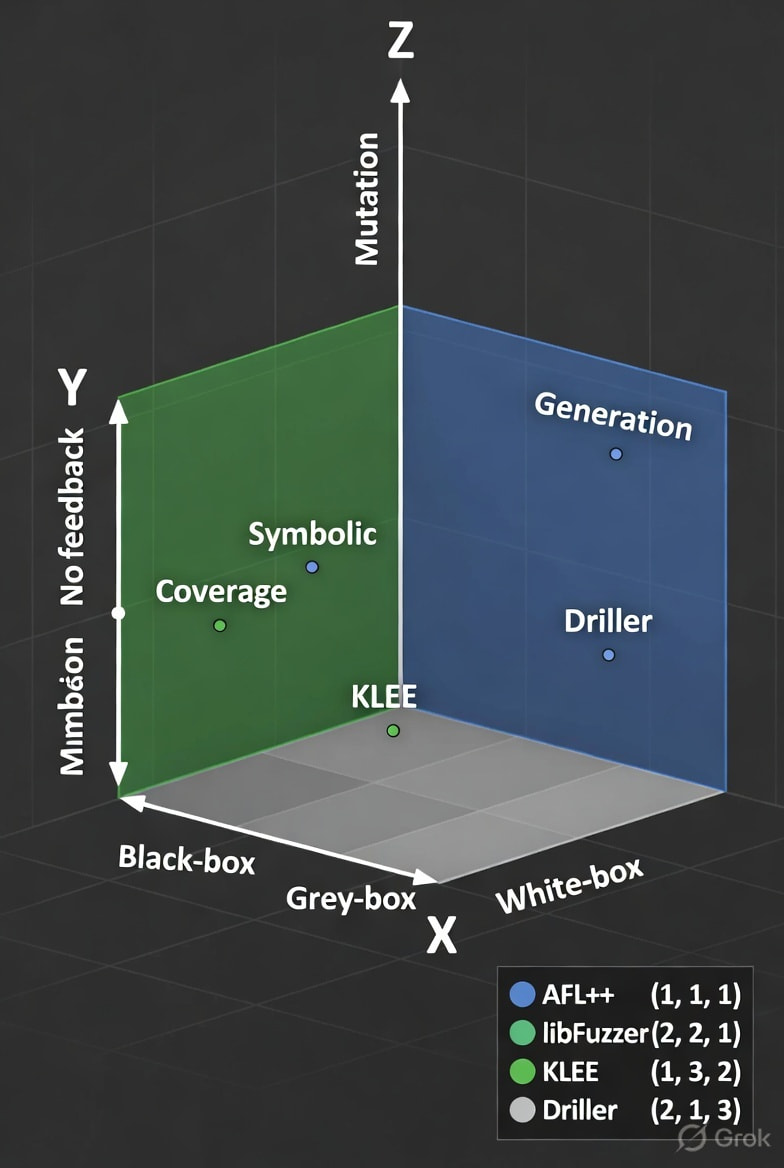
Let me break down the taxonomy properly. There are three independent axes:
Dimension 1: Knowledge of the Target
Black-box → Grey-box → White-box
Dimension 2: Feedback Mechanism
No feedback → Coverage-guided → Symbolic execution
Dimension 3: Input Generation Strategy
Mutation-based → Generation-based
Every fuzzer sits somewhere on these three axes. Let’s understand each dimension.
Dimension 1: How Much Do You Know About the Target?
This is the visibility axis. How much can the fuzzer “see” about what’s happening inside the program?
Black-Box Fuzzing
Definition: The fuzzer knows NOTHING about the target program. It treats it as a black box.
What this means in practice:
INPUT → [???] → OUTPUT
         ↑
    Can't see inside
You feed inputs to the program. You observe outputs (or crashes). That’s it.
You don’t know:
- What code paths were executed
- What branches were taken
- What functions were called
- Whether the input reached “interesting” code
When you use black-box fuzzing:
- You have a binary with no source code
- You can’t instrument the target
- You’re fuzzing over a network protocol (you send packets, you see responses)
- You’re testing a web application (you send HTTP requests, you see responses)
Example tools: Burp Suite Intruder, Peach Fuzzer (in black-box mode), any network protocol fuzzer that doesn’t hook into the target.
The problem with black-box fuzzing:
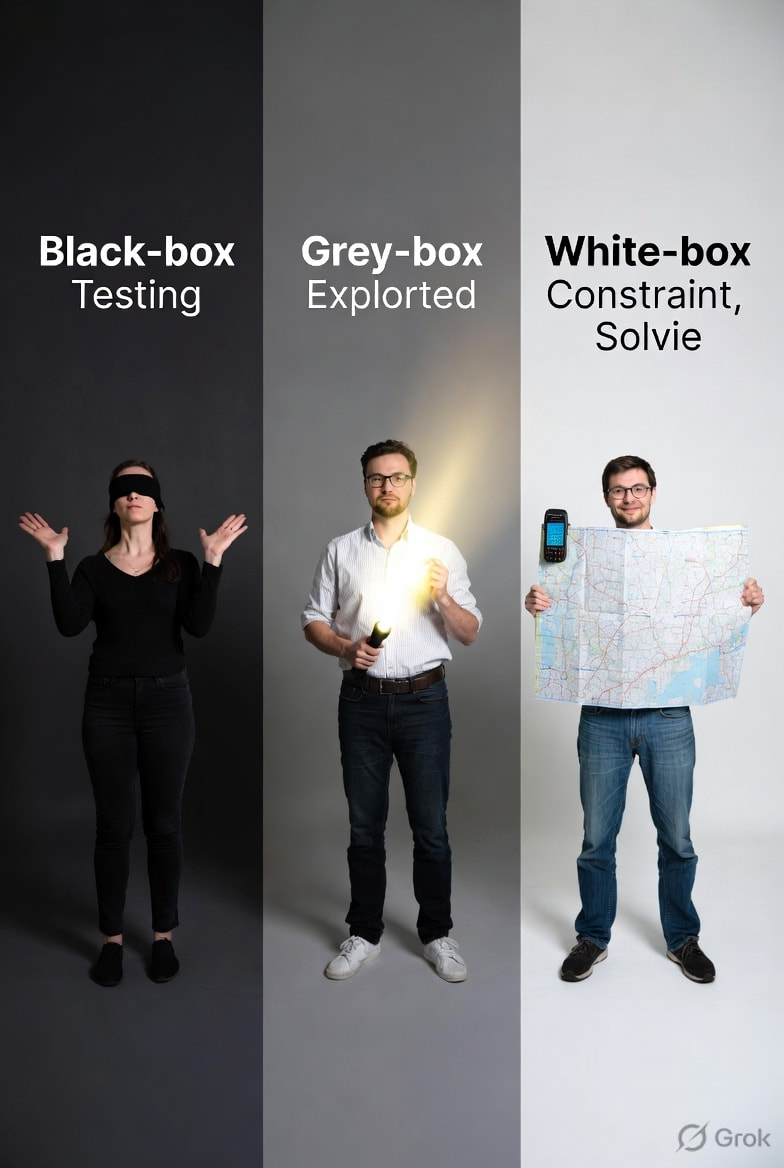
Imagine you’re trying to find a secret room in a house. Black-box fuzzing is like wandering around blindfolded, bumping into walls, hoping to stumble into the room.
You have no idea if you’re getting closer or going in circles.
This is slow and inefficient. Most black-box fuzzers waste 99% of their time generating inputs that don’t explore new behavior.
But sometimes it feels like it’s all you have. If the target is closed-source, your first instinct might be “I can’t instrument this, so I’m stuck with black-box.”
I had the same thought. Then I learned about QEMU mode.
Here’s what actually happens with a closed-source binary:
You don’t need source code to get coverage feedback. AFL++ has a mode called QEMU mode that instruments the binary at runtime through emulation no source code, no recompilation needed.
Think of it like this:
Have source code → compile with afl-clang-fast → markers injected at compile time
No source code, only binary → AFL++ QEMU mode → markers injected at runtime through emulation
So a closed-source binary doesn’t automatically mean black-box. It just means you instrument differently.
True black-box is when you can’t instrument at all like a remote network service running on someone else’s server. You send packets, you see responses, that’s it. No way to hook inside.
Grey-Box Fuzzing
Definition: The fuzzer has SOME visibility into the target usually through lightweight instrumentation.
What this means in practice:
INPUT → [instrumented target] → OUTPUT
              ↓
         Coverage feedback
         ("this input hit new code")
The fuzzer injects hooks into the target that report back: “this input took branch A” or “this input reached function X for the first time.”
The fuzzer uses this feedback to decide which inputs are interesting and worth mutating further.
This is what AFL++ does.
When you compile your target with afl-clang-fast, AFL++ inserts tiny instrumentation points at every branch in your code. As the fuzzer runs, it tracks which branches have been hit.
If an input hits a NEW branch that no previous input reached, AFL++ thinks: “This input discovered new code. Let me save it and mutate it further.”
If an input hits the same branches as before, AFL++ thinks: “Boring. Discard it.”
When you use grey-box fuzzing:
- You have source code and can recompile with instrumentation
- OR you can use binary instrumentation (QEMU mode, DynamoRIO)
- You want the fuzzer to explore new code paths efficiently
Example tools: AFL++, libFuzzer, Honggfuzz (all coverage-guided grey-box fuzzers)
Why grey-box is the sweet spot:
Going back to the house analogy: grey-box fuzzing is like having a map that lights up when you enter a new room.
You’re not wandering blindly anymore. You have a signal: “this direction is productive, go this way.”
This is orders of magnitude faster than black-box fuzzing.
Grey-box is the default choice for most fuzzing today. If you can instrument the target, you should.
White-Box Fuzzing
Definition: The fuzzer has FULL visibility into the target it analyzes the source code, understands the logic, and uses symbolic execution or constraint solving to generate inputs.
What this means in practice:
if (input[0] == 'A') {
    if (input[1] == 'B') {
        if (input[2] == 'C') {
            crash();  // Bug is here
        }
    }
}
A black-box or grey-box fuzzer would need to randomly guess "ABC" which could take forever.
A white-box fuzzer reads the code, sees the constraints (input[0] == 'A', input[1] == 'B', etc.), and uses a constraint solver to generate the input "ABC" directly.
When you use white-box fuzzing:
- The target has deep, complex logic with many nested conditions
- Random mutation is too slow to reach certain code paths
- You need mathematical precision to solve input constraints
Example tools: KLEE, S2E, Driller (combines grey-box and white-box)
The problem with white-box fuzzing:
It’s slow. Analyzing code and solving constraints is computationally expensive.
For real-world programs (millions of lines of code, complex state, external dependencies), white-box fuzzing often gets stuck or times out.
When white-box wins:
For small, self-contained functions with tricky logic (crypto implementations, parsers with checksum validation, state machines), white-box fuzzing can be extremely effective.
The Spectrum Visualized
BLACK-BOX          GREY-BOX           WHITE-BOX
    |                  |                   |
No insight      Coverage tracking    Full program analysis
Blind search    Guided search        Constraint solving
    |                  |                   |
  Slow            Fast (most of the time)  Slow but precise
    |                  |                   |
Network fuzzers   AFL++, libFuzzer       KLEE, Driller
What I Found Confusing (And Now Don’t)
I kept asking: “If white-box fuzzing is so smart, why doesn’t everyone use it?”
The answer: it doesn’t scale.
Symbolic execution (the core of white-box fuzzing) suffers from path explosion.
Here’s the problem:
if (a) branch_1();
if (b) branch_2();
if (c) branch_3();
if (d) branch_4();
Four if statements = 2^4 = 16 possible paths.
Ten if statements = 2^10 = 1,024 paths.
Twenty if statements = 2^20 = 1,048,576 paths.
A real program has millions of branches. The number of possible paths is astronomical.
White-box fuzzers try to explore all paths symbolically. They get stuck.
Grey-box fuzzers don’t try to be exhaustive. They use heuristics “this input looks interesting, let’s mutate it” and they scale much better.
This is why AFL++ dominates. It’s fast, scalable, and good enough for most targets.
Dimension 2: Does the Fuzzer Use Feedback?
This is the guidance axis. Does the fuzzer learn from previous runs, or is it completely random?
Non-Coverage-Guided Fuzzing (Dumb Fuzzing)
Definition: The fuzzer generates inputs randomly with no feedback loop.
Generate random input → Run target → Crash? (yes/no) → Repeat
No memory. No learning. Just pure randomness.
When this is used:
- Black-box network fuzzing (you can’t get coverage feedback from a remote server)
- Quick sanity checks (fuzz for 5 minutes, see if anything obvious crashes)
Example: Early fuzzers like zzuf, basic radamsa usage.
Why this is inefficient:
Imagine trying to find a specific book in a library by randomly grabbing books off shelves.
You might get lucky. But you’ll probably waste hours picking the same irrelevant books over and over.
Coverage-Guided Fuzzing (Smart Fuzzing)
Definition: The fuzzer tracks which code paths each input reaches, and prioritizes inputs that discover NEW paths.
Generate input → Run target → Did it hit new code?
                                  ↓
                          YES: Save it, mutate it more
                          NO: Discard it
This is feedback-driven evolution.
The fuzzer builds a corpus of interesting inputs (those that reached new code), and focuses its energy on mutating THOSE inputs.
When this is used:
- Basically always, if you can get coverage feedback
- This is the default for modern fuzzing
Example tools: AFL++, libFuzzer, Honggfuzz
Why this works:
Going back to the library analogy: coverage-guided fuzzing is like having a tracker that says “you’ve already checked the history section - try science next.”
You don’t waste time on redundant paths. You systematically explore new territory.
This is the single biggest breakthrough in fuzzing history. Coverage-guided fuzzing (pioneered by AFL in 2013) made fuzzing 10-100x more effective than dumb fuzzing.
The Hybrid Approach: Concolic Execution (Grey-box + White-box)
Some fuzzers combine coverage-guided fuzzing with occasional symbolic execution.
Example: Driller
Driller runs AFL++ (grey-box) most of the time. When AFL++ gets stuck (no new coverage for a while), Driller switches to symbolic execution (white-box) to solve the constraint that’s blocking progress.
Then it hands the solved input back to AFL++ and continues fuzzing.
This combines the best of both worlds:
- Grey-box for speed and scalability
- White-box for precision when needed
Dimension 3: How Does the Fuzzer Generate Inputs?
This is the input strategy axis. Does the fuzzer mutate existing inputs, or generate new ones from scratch?
Mutation-Based Fuzzing
Definition: Start with a seed input (a valid file or data), then mutate it - flip bits, insert bytes, delete bytes, splice two inputs together, etc.
Seed: "GET / HTTP/1.1\r\n"
  ↓
Mutate: Flip bit 5
  ↓
Result: "GET / ITTP/1.1\r\n"  (changed H to I)
When this works well:
- You have example inputs (test files, network packet captures, etc.)
- The input format is flexible (programs often accept “close enough” malformed inputs)
- You want to fuzz fast (mutation is cheap)
Example tools: AFL++, Honggfuzz, Radamsa
The strength of mutation-based fuzzing:
Speed. Flipping a byte takes nanoseconds. You can try millions of mutations per second.
The weakness:
If the target has strict input validation (checksums, magic headers, signature verification), random mutations will fail immediately.
Example:
if (input[0] != 'P' || input[1] != 'N' || input[2] != 'G') {
    return ERROR;  // Not a PNG file
}
// Rest of PNG parsing code
A mutation-based fuzzer will spend 99.9% of its time generating inputs that fail the PNG header check and never reach the actual parser.
Generation-Based Fuzzing (Grammar-Based Fuzzing)
Definition: The fuzzer has a model or grammar of the valid input format, and generates inputs that conform to the structure.
Example: Fuzzing a JSON parser.
Instead of mutating random bytes and hoping they form valid JSON, you define a grammar:
JSON = Object | Array | String | Number | Boolean | Null
Object = "{" (KeyValue ("," KeyValue)*)? "}"
KeyValue = String ":" JSON
...
The fuzzer generates inputs by following the grammar rules. Every input is syntactically valid JSON (though it might have semantic bugs - deeply nested objects, huge arrays, weird Unicode).
When this works well:
- The input format is strict and well-defined (XML, JSON, protocol buffers, programming languages)
- Mutation-based fuzzing gets rejected at the parser
- You want to test logic bugs, not just parsing bugs
Example tools: Grammarinator, Dharma, Peach Fuzzer (in generation mode)
The strength of generation-based fuzzing:
You bypass shallow validation and reach deep code.
The weakness:
You have to write the grammar yourself. This is time-consuming and error-prone.
For many targets, mutation-based fuzzing is “good enough” and much easier to set up.
Hybrid: Mutation + Generation
Some fuzzers combine both strategies.
Example: AFL++ with a dictionary.
You give AFL++ a list of tokens that matter for your format:
"PNG"
"\x89\x50\x4E\x47"  # PNG magic header
"IHDR"
"IDAT"
AFL++ will mutate existing inputs (fast), but it will also insert these known tokens (structure-aware).
This gives you some of the benefits of generation-based fuzzing without writing a full grammar.
Putting It All Together: The Taxonomy Grid
Let me show you how real-world fuzzers map onto these dimensions:
| Fuzzer | Knowledge | Feedback | Input Strategy |
|---|---|---|---|
| AFL++ | Grey-box | Coverage-guided | Mutation-based |
| libFuzzer | Grey-box | Coverage-guided | Mutation-based |
| Honggfuzz | Grey-box | Coverage-guided | Mutation-based |
| Peach Fuzzer | Black-box or Grey-box | Coverage-guided (optional) | Generation-based |
| Boofuzz | Black-box | No feedback | Generation-based (protocol models) |
| KLEE | White-box | Symbolic execution | Constraint solving |
| Driller | Grey-box + White-box | Coverage + Symbolic | Mutation + Constraint solving |
Which Type Should You Use? The Decision Tree
Here’s how I decide which fuzzing approach to use for a new target:
Do you have source code?
  ↓ YES
Can you recompile with instrumentation?
  ↓ YES
  → Use GREY-BOX, COVERAGE-GUIDED, MUTATION-BASED fuzzing
     (AFL++, libFuzzer, Honggfuzz)

  ↓ NO (binary-only)
Can you use QEMU or binary instrumentation?
  ↓ YES
  → Use GREY-BOX, COVERAGE-GUIDED, MUTATION-BASED with emulation
     (AFL++ QEMU mode, Honggfuzz with Intel PT)

  ↓ NO
  → Use BLACK-BOX, NO-FEEDBACK fuzzing
     (Network fuzzers, Peach, Radamsa)

---

Does the target have strict input validation?
  ↓ YES (checksums, signatures, complex format)
Do you have a grammar or spec?
  ↓ YES
  → Use GENERATION-BASED fuzzing
     (Grammarinator, Dharma, Peach)

  ↓ NO
  → Use MUTATION-BASED with DICTIONARIES
     (AFL++ with tokens)

---

Is the fuzzer stuck? Not finding new paths?
  ↓ YES
Is there a specific constraint blocking progress?
  ↓ YES
  → Add WHITE-BOX / SYMBOLIC EXECUTION
     (KLEE, Driller, Angr)
Real-World Examples
Let me show you how these types play out in practice.
Example 1: Fuzzing a PNG Parser (You Have Source Code)
Target: libpng (open-source PNG library)
Your choice: Grey-box, coverage-guided, mutation-based
Tool: AFL++
Why: You have source code, you can recompile with afl-clang-fast, and PNG is a binary format where mutation works well.
Setup:
# Compile with AFL++ instrumentation
afl-clang-fast png_parser.c -o png_parser

# Fuzz it
afl-fuzz -i png_seeds/ -o findings/ ./png_parser @@
Result: AFL++ will mutate your seed PNG files, track coverage, and find crashes in the parser.
Example 2: Fuzzing a Closed-Source Network Service
Target: A proprietary web server (no source code)
Your choice: Black-box, no feedback, generation-based
Tool: Boofuzz
Why: You can’t instrument the server (it’s closed-source and running remotely). You have to treat it as a black box. But HTTP is a well-defined protocol, so you can generate structured HTTP requests.
Setup:
# Define HTTP protocol model
s_initialize("HTTP Request")
s_string("GET")
s_delim(" ")
s_string("/")
s_delim(" ")
s_string("HTTP/1.1")
...
Result: Boofuzz generates thousands of malformed-but-valid HTTP requests and sends them to the server, watching for crashes or errors.
Example 3: Fuzzing a Crypto Function with Complex Logic
Target: An encryption function with multiple nested conditionals
if (key[0] == 0xAB) {
    if (key[1] == 0xCD) {
        if (key[2] == 0xEF) {
            // Deep logic here
        }
    }
}
Your choice: White-box, symbolic execution
Tool: KLEE
Why: Random mutation will almost never generate key = [0xAB, 0xCD, 0xEF, ...]. Symbolic execution can solve the constraint and generate the exact input needed.
Result: KLEE analyzes the code, generates the precise input, and explores the deep logic.
The Complete Mental Model
Let me tie everything together with one final diagram.
Fuzzing is a multi-dimensional space:
KNOWLEDGE AXIS (Visibility into target):
Black-box ←―――――― Grey-box ―――――→ White-box
(blind)        (instrumented)     (symbolic)

FEEDBACK AXIS (Does it learn?):
Dumb ←―――――― Coverage-guided ―――――→ Symbolic
(random)    (evolutionary)         (precise)

INPUT AXIS (How are inputs created?):
Mutation ←―――――― Hybrid ―――――→ Generation
(fast)         (balanced)      (structured)
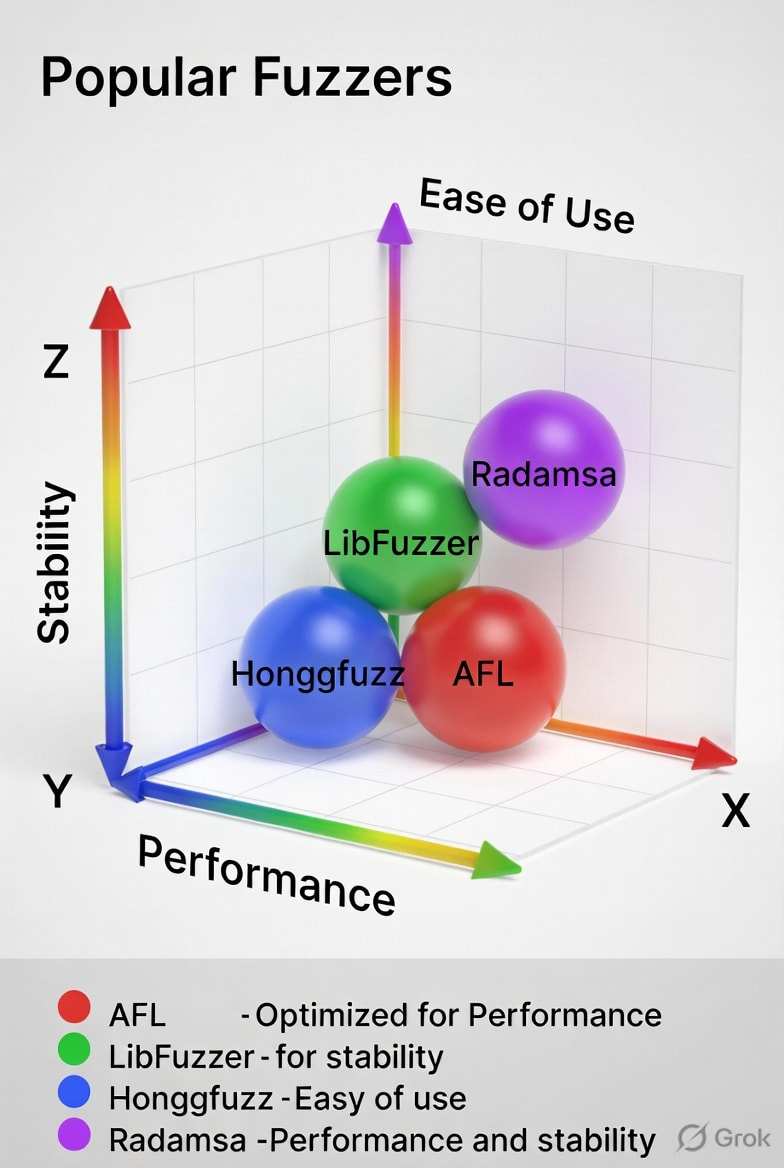
Your fuzzer is a point in this 3D space.
AFL++ = Grey-box + Coverage-guided + Mutation-based
KLEE = White-box + Symbolic execution
Boofuzz = Black-box + Generation-based
What We Learned - Glossary
Black-box fuzzing - Fuzzing with no visibility into the target’s internals. The fuzzer only observes inputs and outputs. Used when you have no source code or can’t instrument the target.
Grey-box fuzzing - Fuzzing with lightweight instrumentation that provides coverage feedback. The fuzzer knows which code paths each input reaches. This is the most common and effective approach (AFL++, libFuzzer, Honggfuzz).
White-box fuzzing - Fuzzing with full program analysis using symbolic execution or constraint solving. The fuzzer reads the code, understands logic, and generates precise inputs. Slow but powerful for specific use cases (KLEE, Driller).
Coverage-guided fuzzing - A feedback mechanism where the fuzzer tracks code coverage and prioritizes inputs that discover new paths. This is the breakthrough that made modern fuzzing effective.
Mutation-based fuzzing - Generating inputs by modifying (mutating) existing seed inputs. Fast and effective for many targets. The default for AFL++.
Generation-based fuzzing - Generating inputs from scratch using a grammar or model of the valid input format. Useful for strict formats (JSON, XML, protocols).
Symbolic execution - A program analysis technique where the fuzzer treats inputs as symbolic variables and uses constraint solvers to generate inputs that reach specific code paths.
Corpus - The set of interesting inputs the fuzzer has discovered so far. In coverage-guided fuzzing, the corpus contains inputs that reached new code.
Path explosion - The problem in white-box fuzzing where the number of possible execution paths grows exponentially, making exhaustive analysis impossible.
What’s Coming in Blog 4
We’ve been talking about “crashes” and “bugs” this whole time. But what actually HAPPENS when a program crashes?
What is a segmentation fault? What is a stack trace? What are registers? Why does the program die?
Before we can effectively find and triage crashes, you need to understand what a crash IS at the hardware and OS level.
Blog 4 goes inside the machine. We’ll look at memory corruption, invalid pointers, stack overflows, and what the operating system does when a program tries to access memory it doesn’t own.
See you there.
[End of Blog 3]
Estimated reading time: 18 minutes
Word count: ~4,500 words
Image Caption Summary (For You to Generate/Find)
-
Spectrum diagram: Black-box (blindfolded person) → Grey-box (person with flashlight) → White-box (person with map and GPS)
-
3D cube: Three axes (Knowledge, Feedback, Input Strategy) with fuzzers plotted as points
-
Decision tree: Flowchart from “Do you have source code?” through various decisions to fuzzer recommendations
-
3D coordinate system: Three axes with popular fuzzers (AFL++, KLEE, Boofuzz, libFuzzer, Driller) plotted as colored spheres, with legend